Website
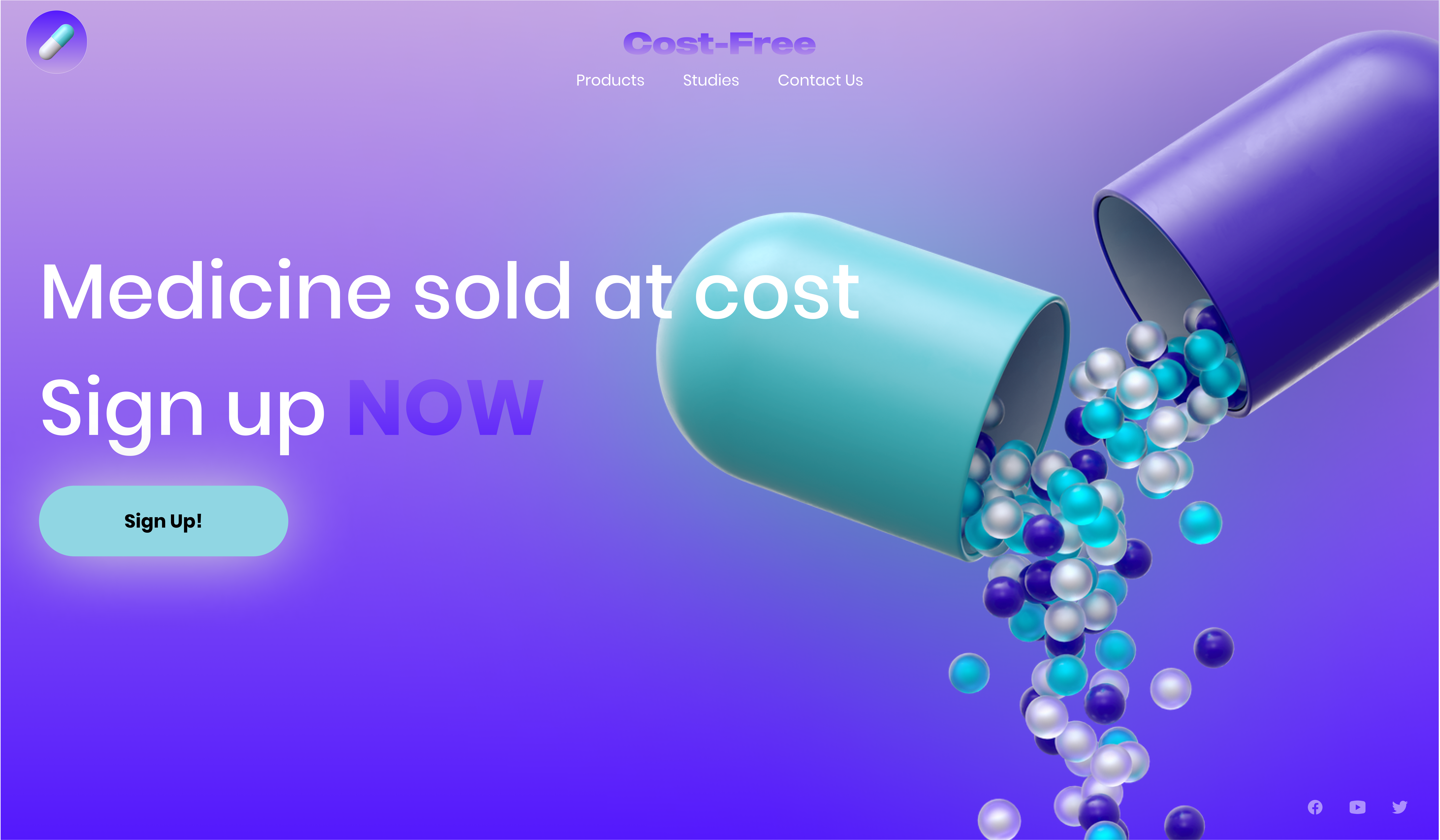
The Website consist of a linear gradient background to give a fullness
to the homepage, and the overall design of the website when traveling
through the navigation/pages. To make everything on the homepage pop I
gave it a Subtle border, blur, or halo around the imagery to give it
that floating effect you see. the same goes for the button, even though
we know most user understand what’s clickable and not we as developers
and designer still understand we must help user navigate through the
website or application.
Artboard & Color Scheme

The artboard was created to help me understand how I wanted to layer out
things through my mockups to bring to life in the website and
application. To me, as a designer a artboard is just as important as the
color scheme, which is why I added the color scheme to the artboard to
show the contrast of importance, and how well each color balances off
each other, and that I understand how eyes view colors on portable-media
and how it should always be soft and not harsh
Mobile
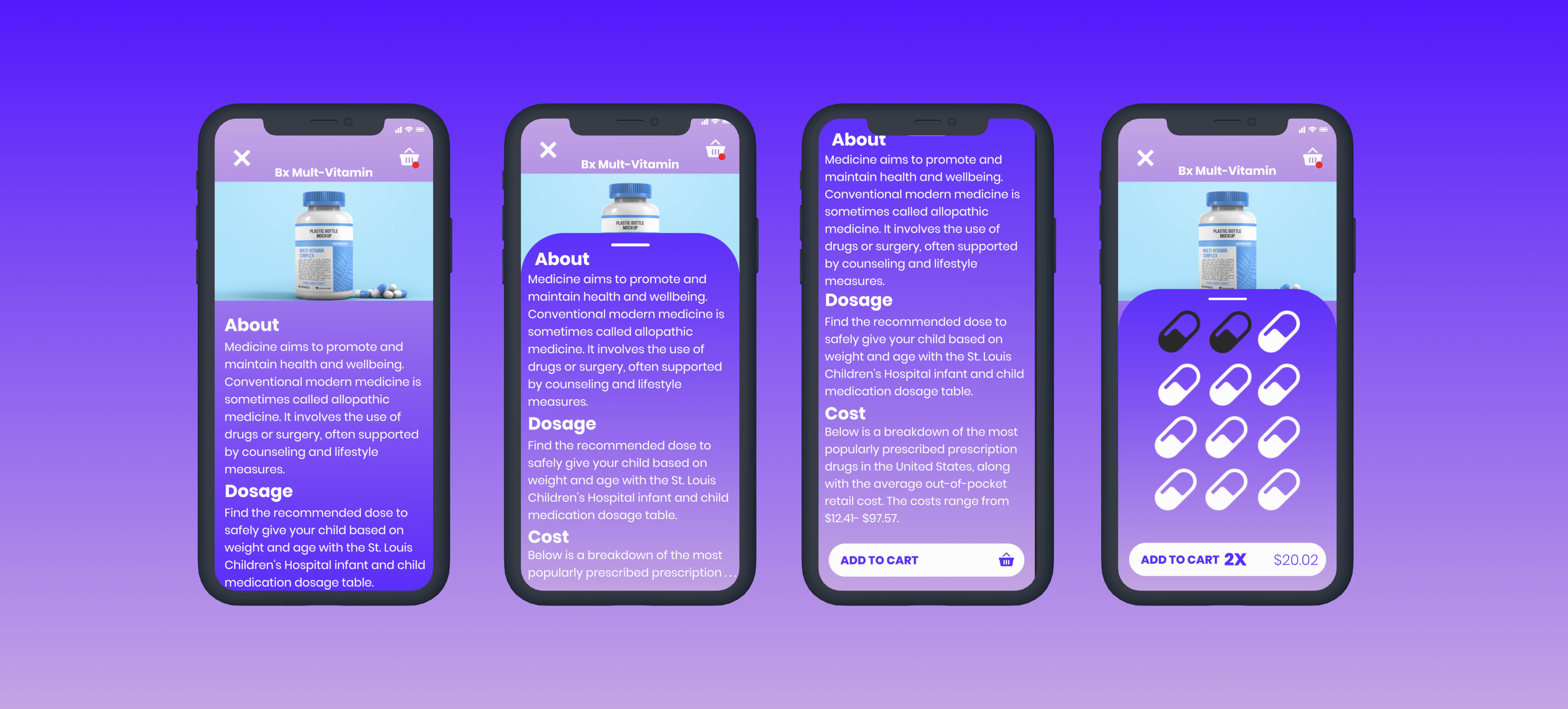
Cost-Free is about buying medicine at the lowest price valuable on the
market, which is near cost, giving the name Cost-Free. When ordering
medicine you’ll be greeted with the about, dosages, cost, and a add to
cart button, and as you scroll you see more. Bigger is better, easier to
see and click. So I made the quantity images you can click, and the
image changes color as well as it convert to your cart at the same time.
To remove just clock the image again making it easier for people of all
ages. The Interface of a website or application shouldn’t just be
pretty, but easy to navigate as well.